Running a Sneaker Store with Aspire
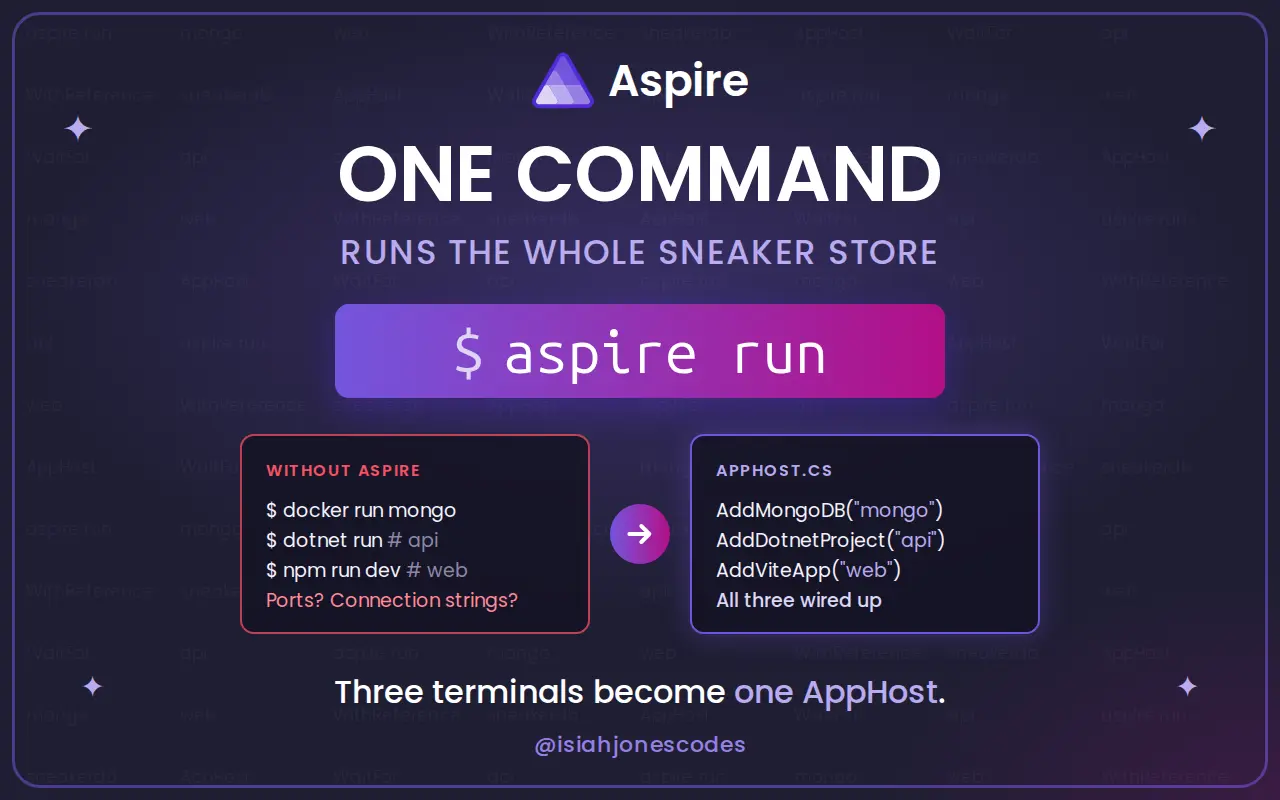
I wanted to see what Aspire does for an app that isn't all .NET, so I built Stockroom, a small sneaker store with three parts:
- A Vue 3 + Vite frontend with a brand filter, product cards, and a cart
- A C# minimal API that serves the catalog
- MongoDB in a Docker container, seeded with twelve pairs
Without Aspire, running this means three terminals. You start Mongo in Docker, copy its connection string into the API's config, start the API, check which port it landed on, point Vite at that port, and then run npm run dev. If you do any of it in the wrong order, something fails to connect.
With Aspire, it's one command:
aspire run
The code is on GitHub in this repo. Here's what Aspire gave me, roughly in the order I noticed it.
1. The whole app is described in one file
Aspire's main piece is the AppHost, a C# program that lists every part of your app and how they connect. Mine is a single file, apphost.cs, with no .csproj next to it. The #:package lines at the top pull in NuGet packages, the same way a .NET file-based app does.
#:package Aspire.Hosting.AppHost@17.1.0-preview.1.26560.7
#:package Aspire.Hosting.Dotnet@17.1.0-preview.1.26560.7
#:package Aspire.Hosting.JavaScript@17.1.0-preview.1.26560.7
#:package Aspire.Hosting.MongoDB@17.1.0-preview.1.26560.7
#:property AspireUseCliBundle=true

var builder = DistributedApplication.CreateBuilder(args);

var mongo = builder.AddMongoDB("mongo")
    .WithDataVolume();

var sneakerDb = mongo.AddDatabase("sneakerdb");

var api = builder.AddDotnetProject("api", "./SneakerStore.Api/SneakerStore.Api.csproj")
    .WithReference(sneakerDb)
    .WaitFor(sneakerDb)
    .WithHttpHealthCheck("/health")
    .WithUrlForEndpoint("http", _ => new() { Url = "/swagger", DisplayText = "Swagger UI" });

builder.AddViteApp("web", "./web")
    .WithReference(api)
    .WaitFor(api)
    .WithExternalHttpEndpoints();

builder.Build().Run();
That's the whole file, and it reads close to how I'd explain the app out loud. There's a Mongo server with a sneakerdb database. The API uses that database and waits for it. The frontend uses the API and waits for it.
Because it's C# and not YAML, I get IntelliSense on every method, and the compiler catches typos. The references between resources are variables (sneakerDb, api), so if I rename one, the editor renames it everywhere it's used.
Compared to a docker-compose.yml, it also covers the parts that don't run in a container. The API runs as a normal .NET process and the frontend runs as a normal Vite dev server, so hot reload and debugging work the way they always do.
2. Getting started is clone and run
The README's setup section is short. You need the .NET SDK, the Aspire CLI, Docker, and Node. After that:
nvm use
aspire run
On the first run, Aspire pulls the MongoDB image, runs npm install in the web folder, builds the API, and starts all three. There's no .env file to copy and no connection string to paste.
WithDataVolume() stores Mongo's data in a Docker volume, so the catalog survives restarts. When I stop the app and start it again, the data is still there.
3. Connection strings and ports are handled for me
There's no connection string anywhere in the API's appsettings.json. The API asks for the database by the name from the AppHost:
var builder = WebApplication.CreateBuilder(args);

builder.AddServiceDefaults();

// "sneakerdb" matches the database resource name in apphost.cs.
builder.AddMongoDBClient("sneakerdb");
When the AppHost says .WithReference(sneakerDb), Aspire starts the API with an environment variable named ConnectionStrings__sneakerdb. It points at whatever host and port the Mongo container got on this run. ASP.NET Core reads that variable as the sneakerdb connection string, so the API finds it the normal way.
The same thing works for the frontend, even though it isn't .NET. WithReference(api) gives the Vite process an API_HTTP variable with the API's current address, and vite.config.ts proxies /api to it:
// apphost.cs calls WithReference(api) on this app, so Aspire sets API_HTTP
// to wherever the API is listening on this run.
const apiUrl = process.env.API_HTTP

export default defineConfig({
  plugins: [vue()],
  server: {
    proxy: apiUrl ? { '/api': { target: apiUrl, changeOrigin: true } } : undefined,
  },
})
The Vue code fetches relative URLs like /api/sneakers, so it never needs a port. Neither do I. If a port changes, or I add another service, nothing in the app code has to change.
| From | To | What Aspire sets |
|---|---|---|
| API | MongoDB | ConnectionStrings__sneakerdb |
| Vite | API | API_HTTP |
4. One line sets up the database client
AddMongoDBClient comes from Aspire.MongoDB.Driver, one of Aspire's client integrations. That one line does several jobs I'd normally write by hand:
- It reads the connection string Aspire provided.
- It registers a
MongoClientandIMongoDatabasefor dependency injection. - It adds a MongoDB health check.
- It turns on tracing for the Mongo driver, so queries show up in the dashboard.
After that, the rest of the API is plain ASP.NET Core and the plain MongoDB driver. The endpoints take an IMongoCollection<Sneaker> and query it, with nothing Aspire-specific in them.
5. Everything starts in the right order
The API seeds the catalog when it starts, so it can't come up before Mongo is ready. On the very first run, Docker is still pulling the Mongo image while the API has already finished building.
WaitFor handles that:
- The API doesn't start until the
sneakerdbresource is healthy. - The frontend doesn't start until the API is healthy.
WithHttpHealthCheck("/health") tells Aspire how to check the API. That endpoint includes the MongoDB health check from step 4, so "the API is healthy" means the API is running and can reach its database. The store never opens to an error page because the backend wasn't ready, and I didn't write any retry loops or startup scripts to get that.
6. The dashboard
aspire run prints a link to the Aspire dashboard, and that's the part I ended up liking most. It has a few pages, and I use all of them.
Resources lists Mongo, the API, and the frontend with their state, health, and URLs. Each one has a details panel that shows the environment variables Aspire passed to it, so when something doesn't connect, I can see the exact connection string it got. I can also stop and restart one resource from there without restarting the others.
The WithUrlForEndpoint line in the AppHost adds a Swagger UI link next to the API. Trying an endpoint by hand is one click from the dashboard.
Console shows the output of every process: the API's logs, Vite's dev server output, and Mongo's container logs. That's one tab where I used to have three terminals.
Structured logs shows the API's logs as data and not just lines of text. Each entry keeps its properties, so the seeder's "Seeded {Count} sneakers" message has a Count field I can filter on.
Traces shows each request as a timeline. A call to /api/sneakers shows the HTTP request and the MongoDB query under it, with how long each one took.
Metrics shows request counts, response times, and .NET runtime stats like garbage collection and thread pool usage.
I didn't install or configure any of that. It comes from the ServiceDefaults project that Aspire's template generates. My API calls builder.AddServiceDefaults(), and that turns on OpenTelemetry logs, metrics, and tracing. Aspire sets the variable that tells OpenTelemetry where to send the data, which is the dashboard.
7. Defaults I didn't have to write
ServiceDefaults sets up more than telemetry. Every service that calls AddServiceDefaults() also gets:
/healthand/aliveendpoints in development. The/aliveendpoint only checks that the process responds, and/healthruns every check, including the database.- Service discovery for
HttpClient, so one .NET service can call another by its resource name and not by a hardcoded URL. - A standard resilience handler on every
HttpClient, with retries, timeouts, and a circuit breaker.
My API doesn't call other services yet, so I'm not using the last two. But if I split checkout into its own service, the HTTP calls between them would already have retries and service discovery.
8. F5 debugs the whole app
With the Aspire extension and C# Dev Kit in VS Code, the launch config is short:
{
  "type": "aspire",
  "request": "launch",
  "name": "Aspire: Run sneaker store",
  "program": "${workspaceFolder}"
}
Pressing F5 runs the AppHost, starts Mongo and the frontend, and attaches the debugger to the API. I can set a breakpoint in an endpoint, click around the store in the browser, and stop on it, with the real database and real frontend running around it.
9. The app doesn't depend on Aspire
What surprised me most is how little the app knows about Aspire. The API reads a connection string named sneakerdb and the frontend reads an API_HTTP variable. Aspire fills those in, but anything else can too.
The API tests use that. They don't run the AppHost. They use Testcontainers to start a throwaway mongo:8.0 container, then run the API in memory with WebApplicationFactory and hand it a connection string under the same name:
_factory = new WebApplicationFactory<Program>().WithWebHostBuilder(builder =>
{
    builder.UseEnvironment("Development");
    builder.UseSetting("ConnectionStrings:sneakerdb", apiConnectionString);
});
The API starts, seeds the catalog, and serves requests the same way it does under Aspire. So adopting Aspire didn't lock the code into it. If I removed apphost.cs tomorrow, the API would still run as long as something gave it that connection string.
What it cost me
A few things weren't smooth, and none of them changed my mind:
- I used a preview build. The project is on Aspire 17.1 from the daily channel, which isn't on nuget.org yet, so the repo pins a preview version and adds its feed in
nuget.config. - You need Docker running for the database. That's true without Aspire too, but it's one more thing a new contributor has to install.
- VS Code on WSL doesn't read
.bashrc. F5 failed until I put myPATHsetup fordotnet,aspire, and Node in~/.vscode-server/server-env-setup. - My browser didn't trust the ASP.NET Core dev certificate on WSL. A second launch profile that serves the dashboard over plain HTTP fixed that.
Was it worth it?
For an app with three parts, yes. The AppHost is about 25 lines. It replaced a README section about starting everything in the right order with the right variables, and it gave me a dashboard I'd want even if I didn't need the rest.
Thanks for reading!
If you found this helpful, consider sharing it with others.
Cleaner C# in Seconds — Refactor Nested Logic with Early Returns
Deeply nested if/else blocks make C# hard to read. Here's how the early return pattern flattens validation logic—and how to let AI do the refactor for you.
Introducing TRASH DAY — Never Miss a Pickup
I built an iOS app so I’d stop forgetting trash and recycling day. Set your address once, get smart reminders and your full schedule at a glance—no account, one-time purchase.